Archive a campaign
Since campaigns cannot be deleted, you can keep your campaign page uncluttered by moving any completed campaigns to Archive. You can revive a campaign at any time.
| Note: This option will not appear unless you created the campaign. |
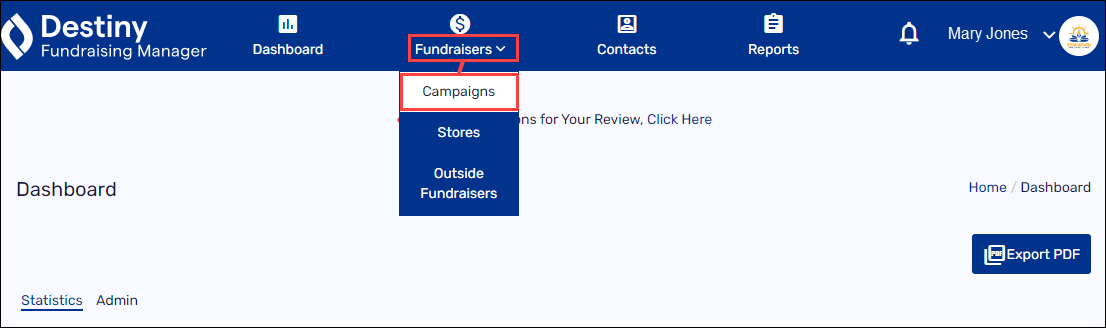
- In the header, select Fundraisers > Campaigns.
-
Find the campaign you want to archive.
- Select the gear icon >Archive.
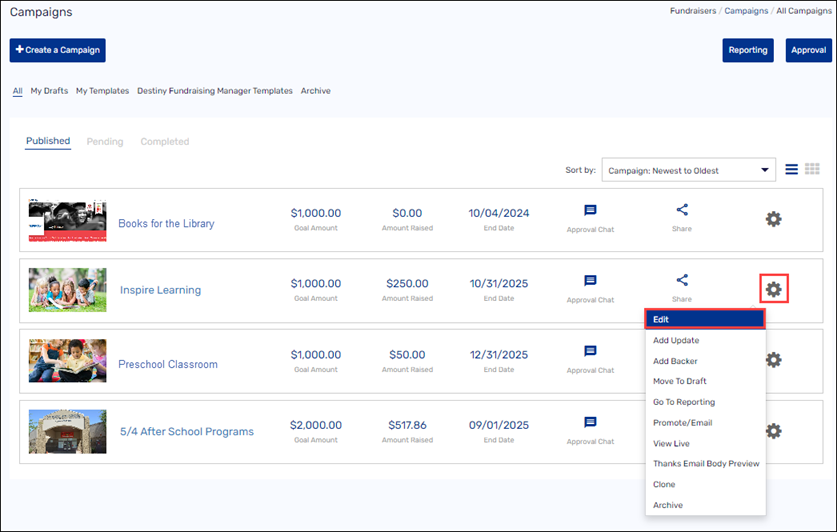
Your campaign now appears under Archive.
To revive an archived campaign, select the gear icon >Edit & Publish.
See Create a campaign.
For additional help, contact techsupport@follettsoftware.com.