Send District Mass-Emails
You can send mass emails to all Destiny Fundraising Manager users in your district, a user type, or a selected group of individuals.
1. In the header, click District Mass-Emails.
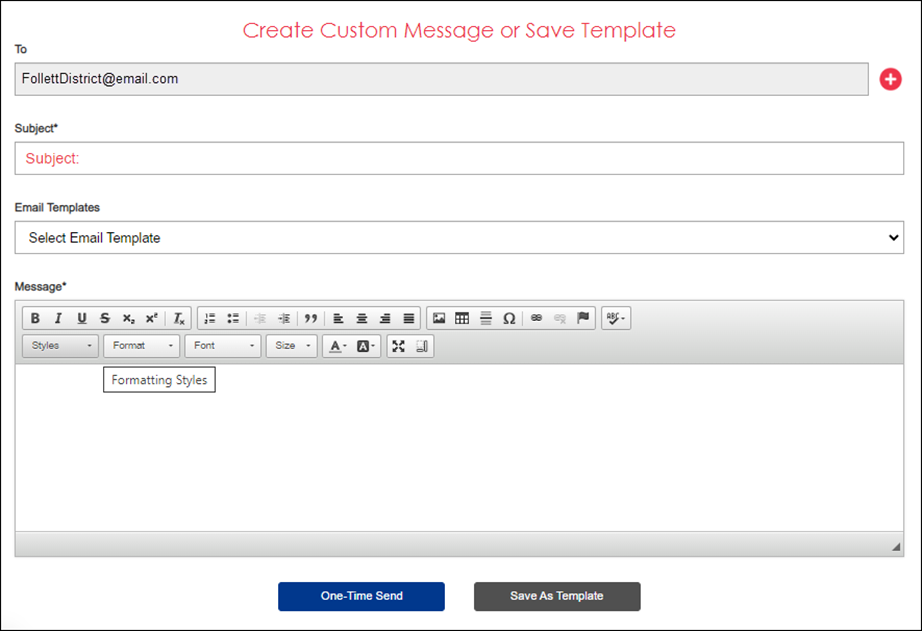
2. Fill in the following information:
|
To… |
Then… |
|---|---|
|
Change the recipients |
a. Click the red + icon. A pop-up appears. 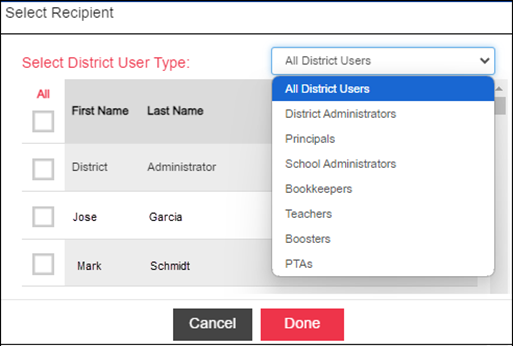
b. Do any of the following:
c. Click Done. |
|
Add a subject |
Type the desired subject. |
|
Use a template |
Use the drop-down to select the desired template (optional). Note: No templates appear until you create them. |
|
Add a message |
Type your message. |
3. Do one of the following:
-
To send the message immediately, click One-Time Send.
-
To save to use again, click Save As Template.
For additional help, contact techsupport@follettsoftware.com.