View a single campaign report
You can view your data to see donors and donation amounts for a specific fundraiser.
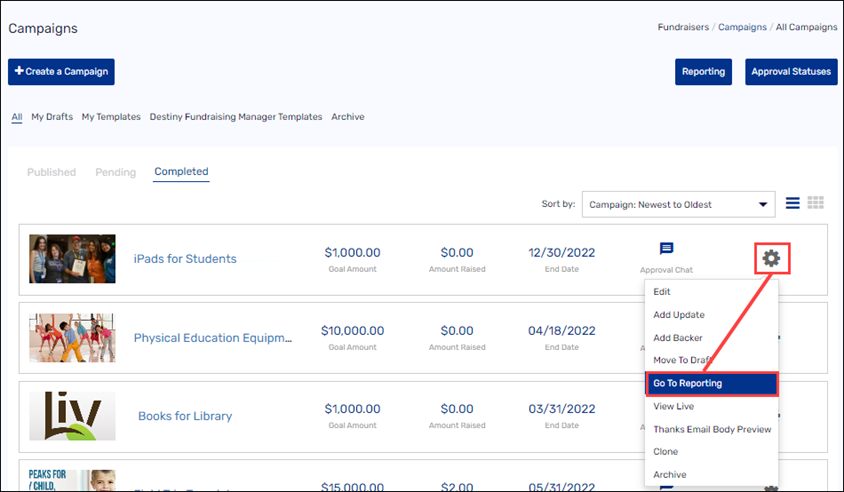
1. In the header, select Fundraisers > Campaigns.
2. Next to the campaign you want, click the gear icon, then click Go To Reporting.
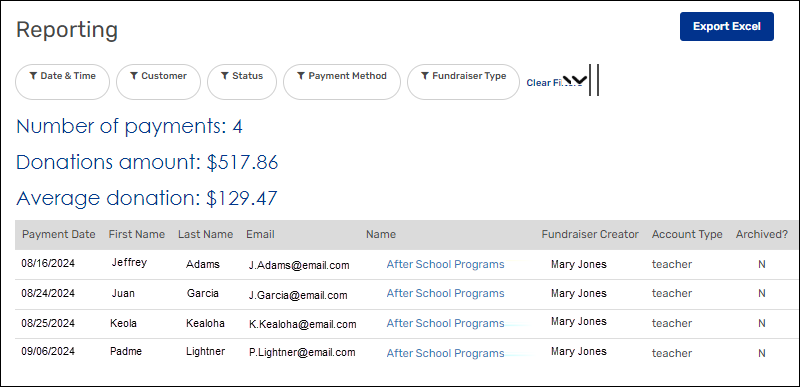
The campaign-specific reporting page appears.
Notes:
-
Use any of the filters, such as Customer and Payment Method, to drill down to the information you need.
-
Export an Excel file by clicking Export Excel.
For additional help, contact techsupport@follettsoftware.com.